
Novant Health Mobile App: Improving Caregiver Workflows & Proxy Access
OVERVIEW
TYPE
Mobile App (iOS)
TOOLS
Figma & Adobe Illustrator
TIMELINE
Nov 2025 - Jan 2026
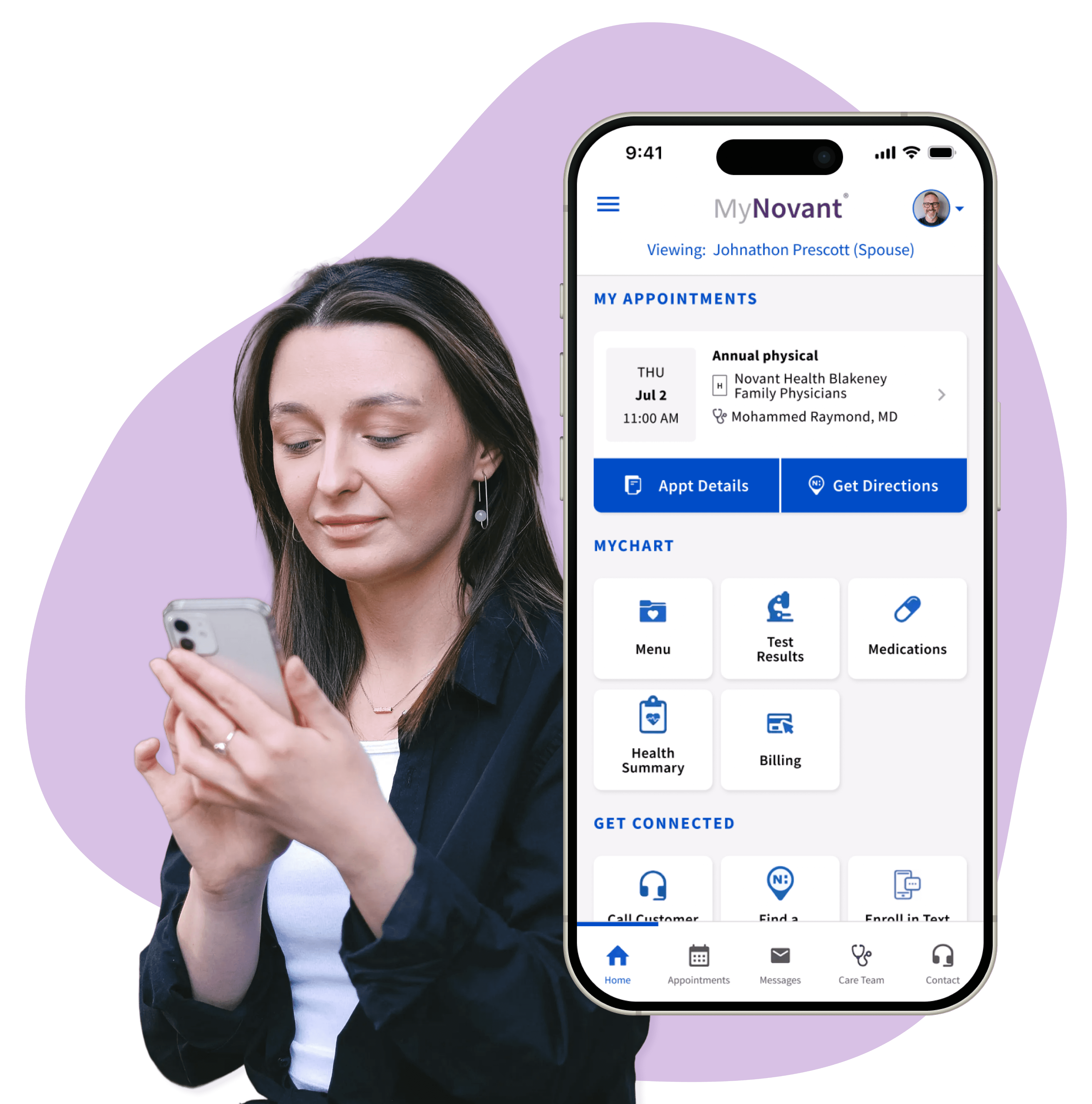

TL;DR (TOO LONG; DIDN’T READ)
The Friction
Novant Health's mobile app had no way for caregivers to access their loved ones' health information, forcing them to rely on the desktop browser and browser redirects at the worst possible times.
The Fix
I migrated Novant's desktop solution, the "Sharing Hub", into their mobile app, allowing caregivers to easily gain access and manage their loved ones medical records all within the app.
The Result
Caregivers can now view and manage their loved one’s health information right on the Novant Health App.
Without access to real users, I used published research to validate my projects problem point and projected impact:
PROJECTED IMPACT
Research demonstrates that digital health interventions significantly reduce caregiver burden and stress in the short term (Cohen's d = -0.62 to -0.65).
Studies also show medication management apps help address error rates of 19-59% common among polypharmacy patients. With family caregivers providing $600 billion in unpaid care annually, streamlining access to patient information could meaningfully reduce this burden.
If implemented at scale across Novant Health's 2M+ annual patient visits, this caregiving feature could significantly improve care coordination efficiency.



Discovery
THE PROBLEM: CAREGIVERS HAD NO MOBILE ACCESS
Novant’s mobile app is a powerful tool for individual patients, but for caregivers it can be a means for a dead end.
Caregivers had no in-app solution to help their loved ones fulfill basic healthcare tasks, such as managing appointments, refilling prescriptions, accessing doctors messages, or handling billing
Unfortunately this fragmented workflow can cause:
Inefficient care coordination.
Increased risk of medication errors.
Missed appointments and miscommunications.
Caregiver frustration and burnout.
Higher administrative workload for staff servicing caregivers.
COMPETITIVE ANALYSIS: LEARNING FROM THE MARKET
I analyzed five platforms to understand how others handled caregiver access:




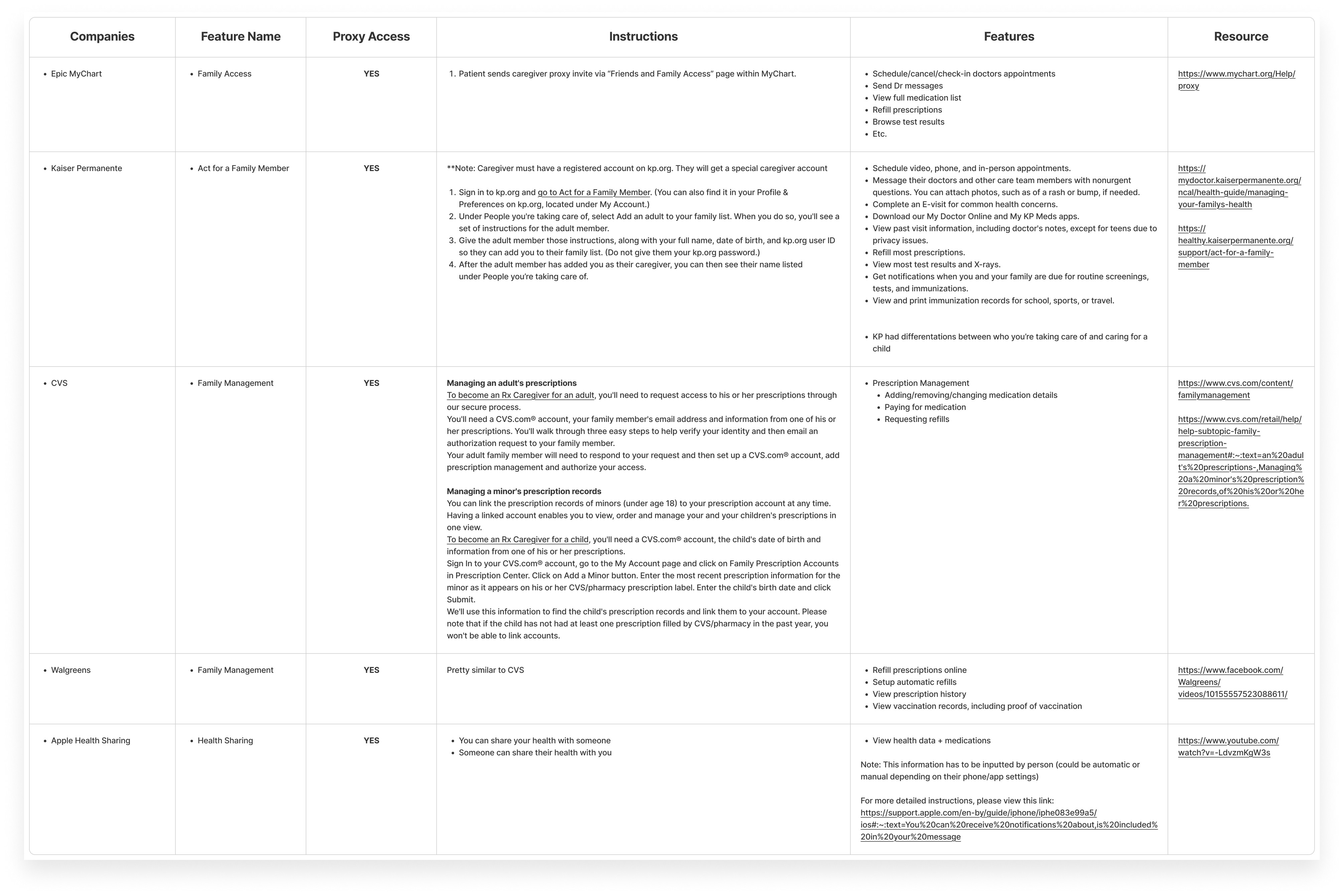
It was clear that a security feature like proxy access is standard for securing medical records. I also learned that all competitors had some variation of patient management features pertaining to appointments and medications.
However, during the Competitive Analysis, I noticed my own medical records sometimes fluctuated between Novant's portal and Epic MyChart. Having used both personally, I had a strong suspicion their frameworks were connected in some way. Not just by design, but maybe the same system under different branding.
I decided to dig deeper...
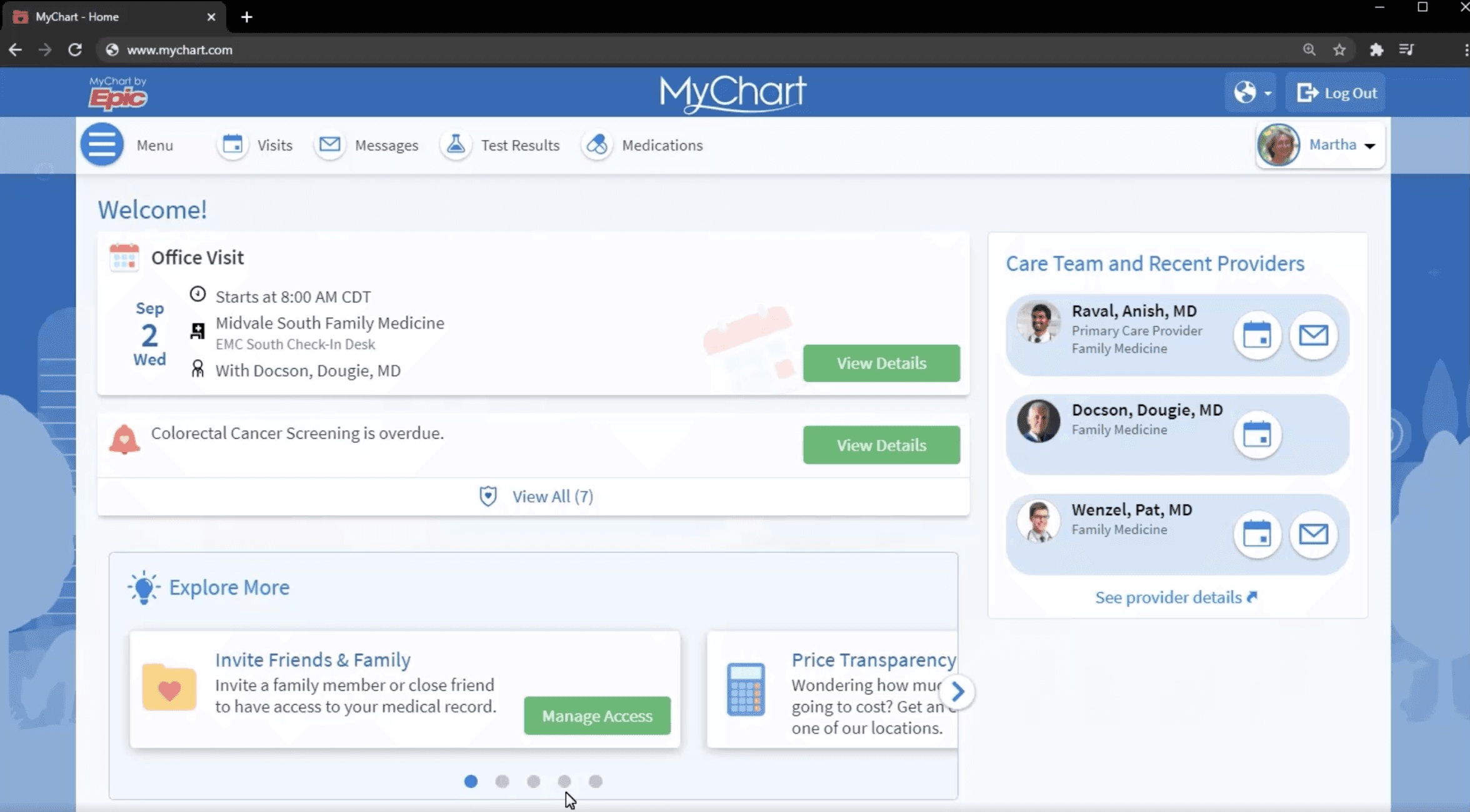
Epic MyChart Screen
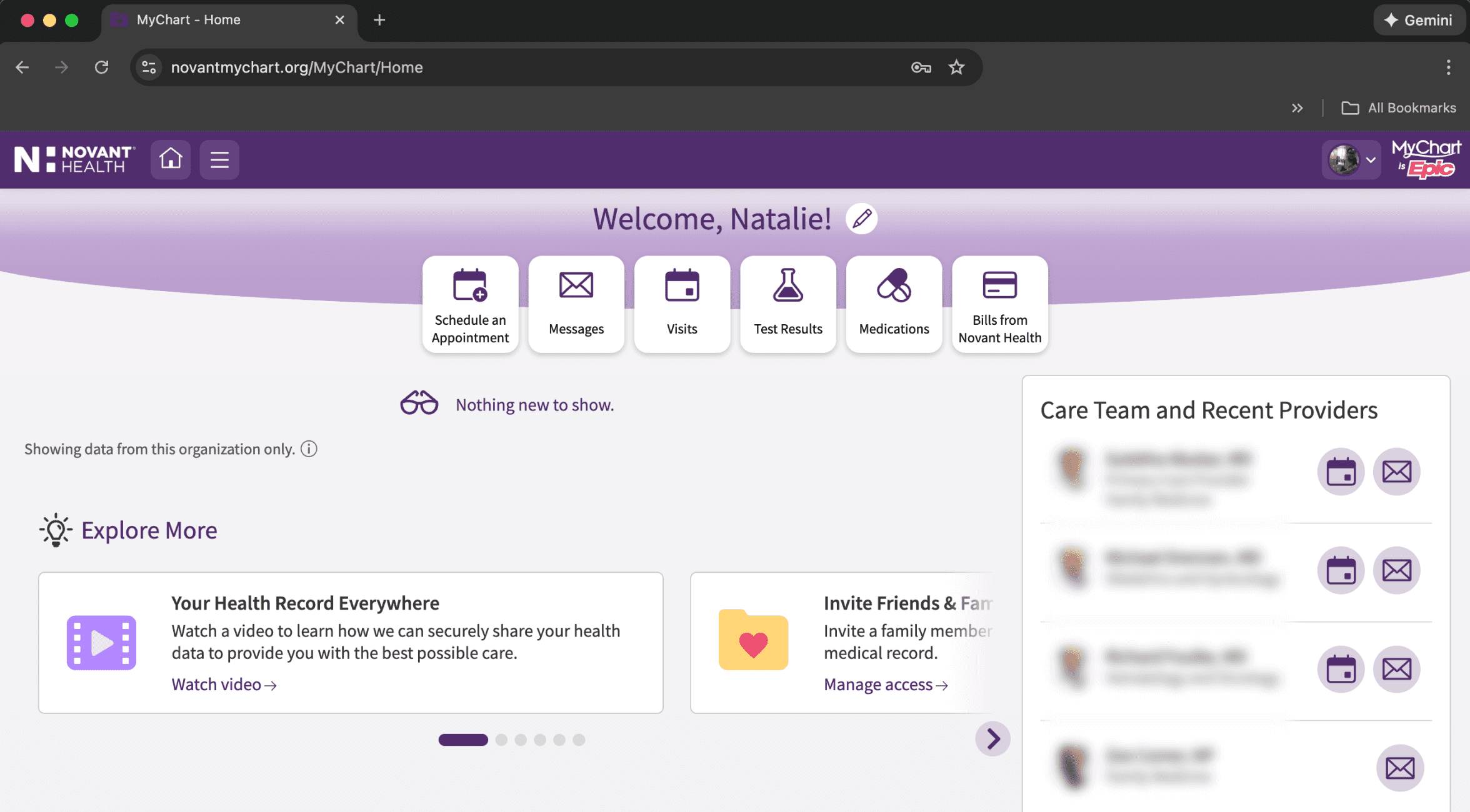
Novant Health Screen
(My personal medical dashboard)
DIG UNTIL YOU HIT GOLD
Turns out, Novant's system runs on Epic's infrastructure. As I logged into my Epic’s MyChart account, I noticed the UI looked nearly identical to Novant's desktop—same layout, same navigation, just different branding.
Then, I found it...
"The Sharing Hub," displayed on Novant's desktop portal. A fully functional caregiving feature for sharing records with family, friends, or providers was already there.
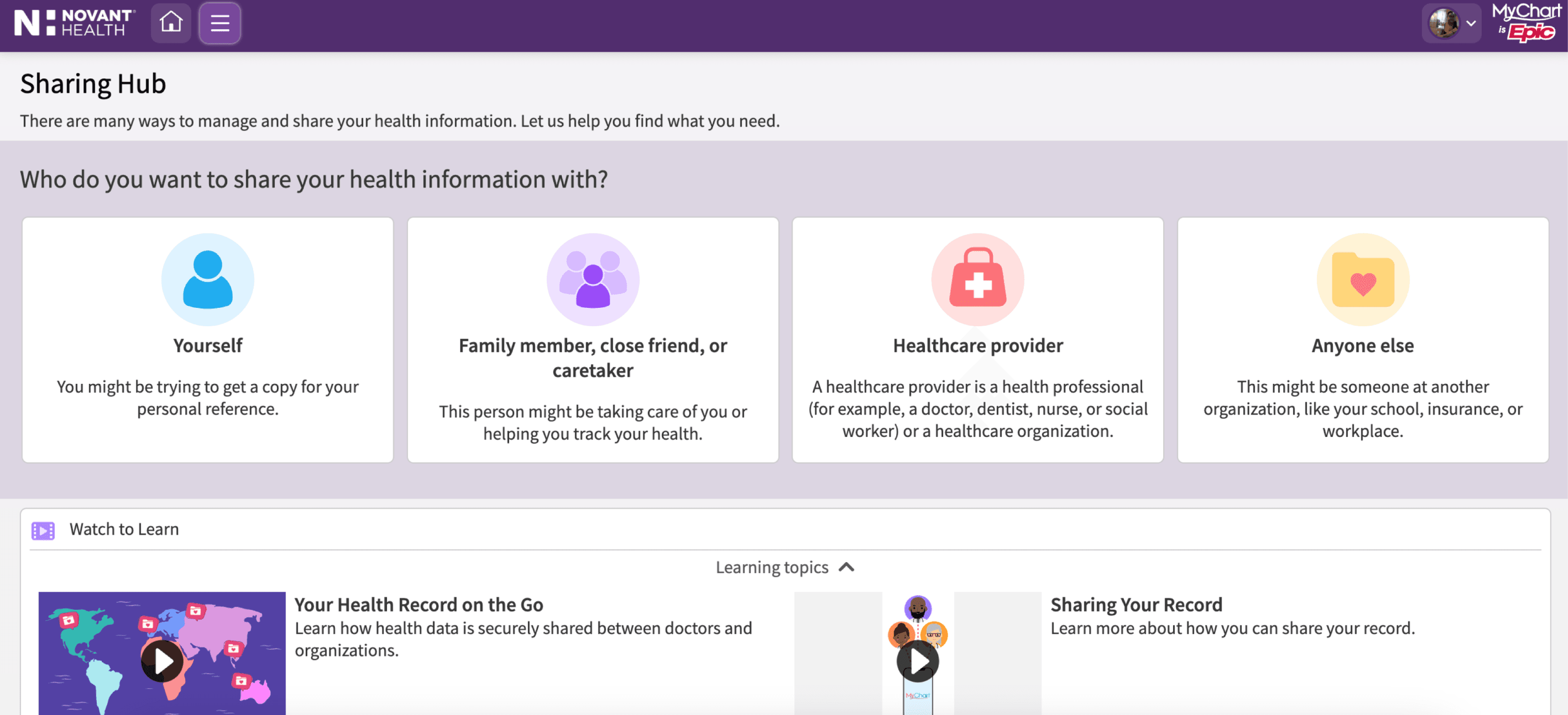
REVERSE-ENGINEERING EPIC’S MOBILE FLOW
Epic's mobile proxy flow wasn't publicly documented. But I found a promotional video online showing how it worked.
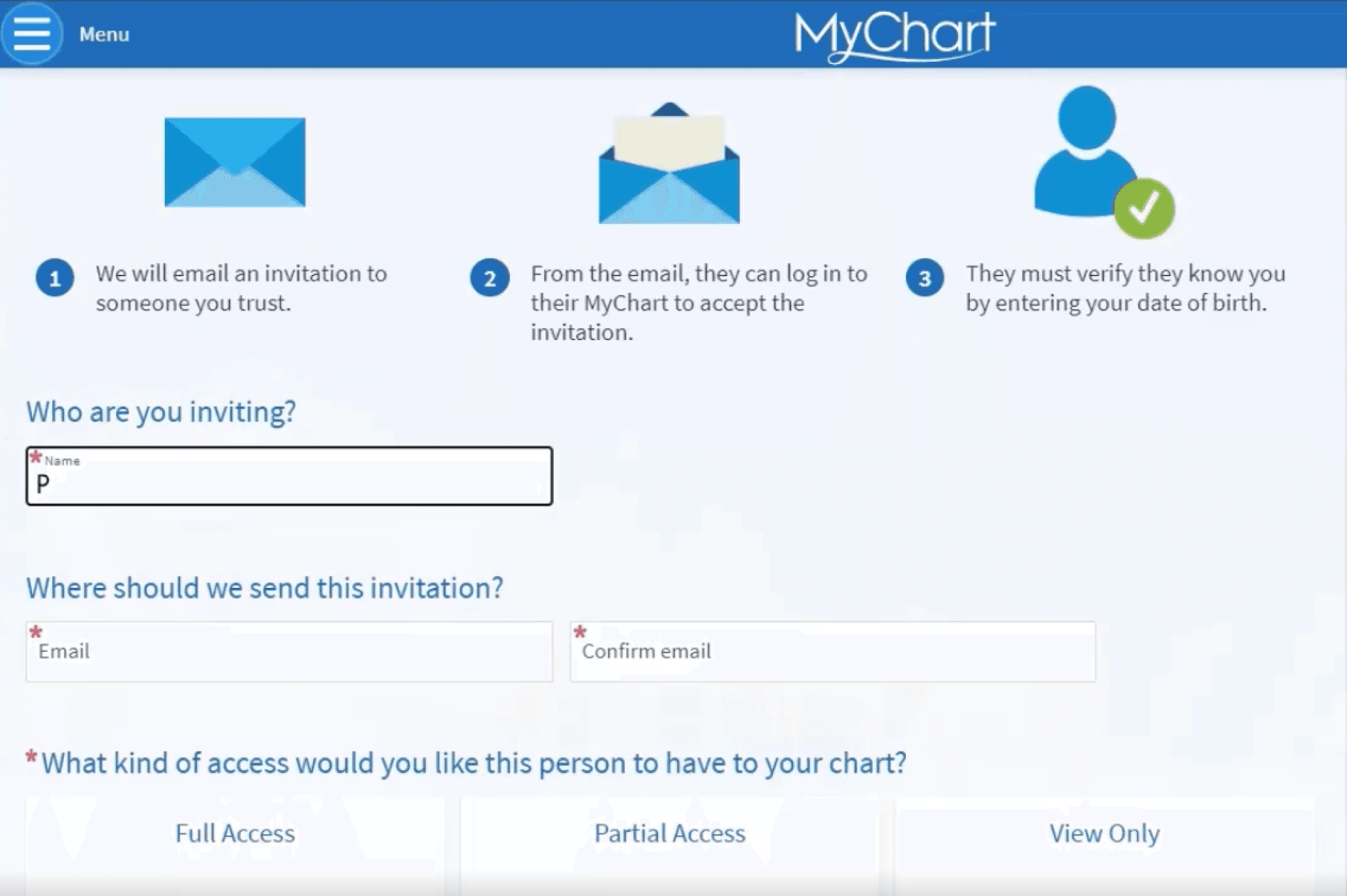
So I took screenshots. Frame by frame, to help me understand my foundational blueprint for solutioning the following scenarios:
SCENARIOS

Completed
Completed
Completed
Completed
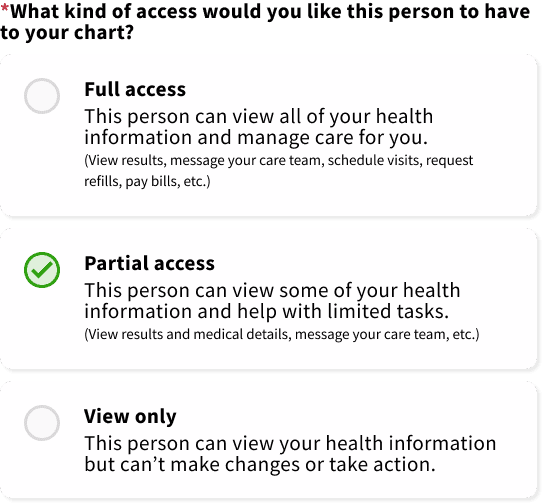
However, I did notice gaps in how access levels were described. I simplified the experience by defining access levels. Instead of vague permissions, I created clear descriptions for "Full," "Partial," and "View Only" access.




My Solution
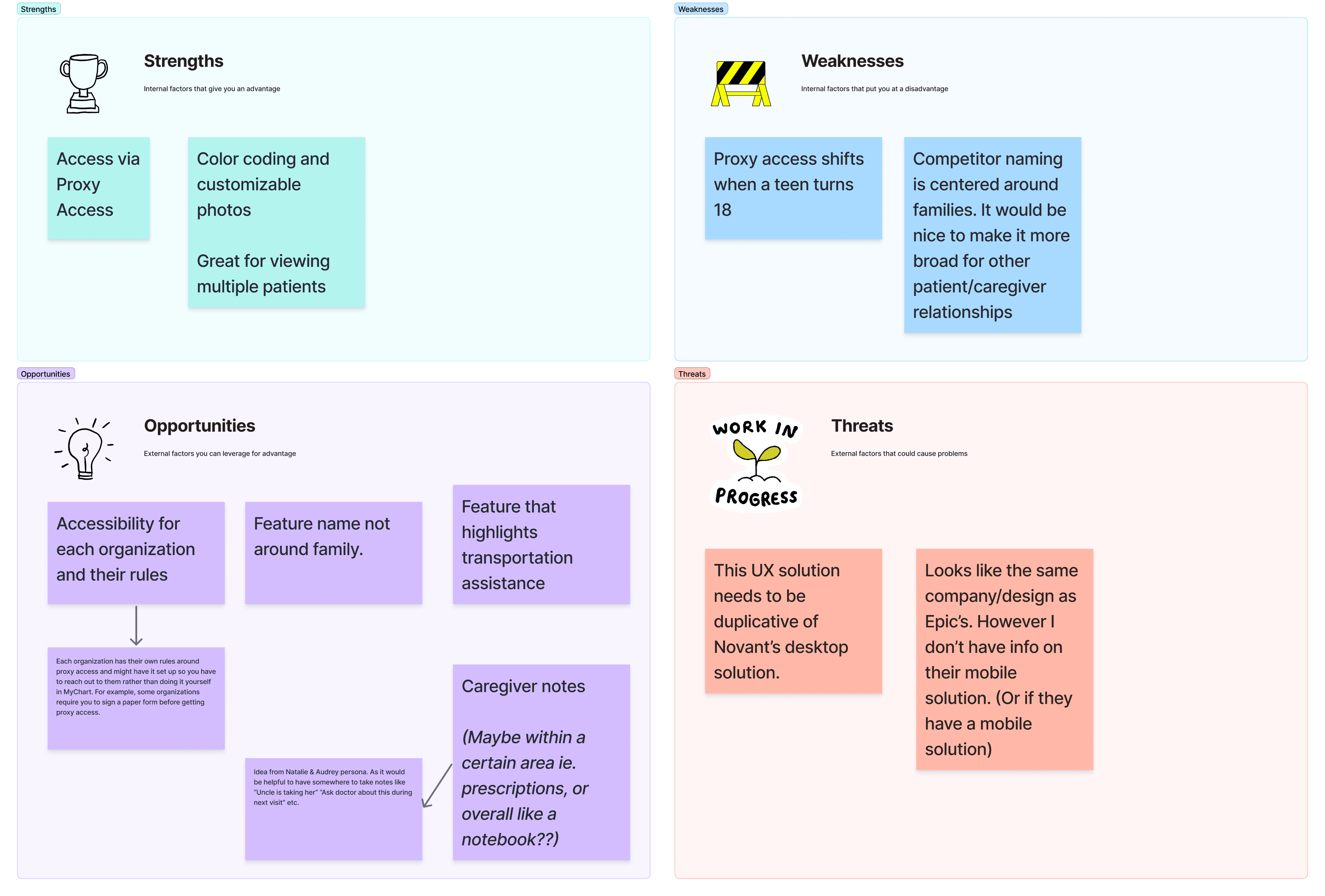
SWOT ANALYSIS: UNDERSTANDING NOVANT’S POSITIONING
I ran a SWOT analysis to identify what Novant already had vs. what was missing.

Designing for Real People: Meet Johnathon and Pamela
With the technical foundation mapped, I shifted focus to who would actually use this.
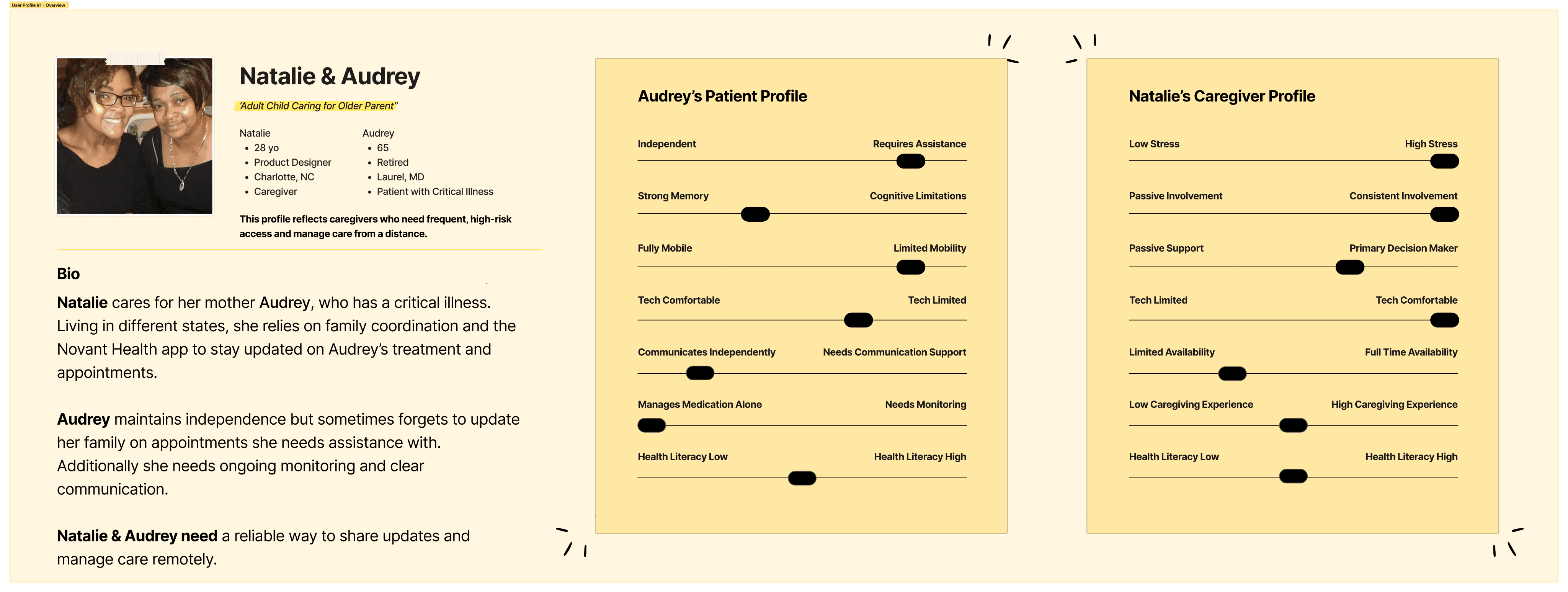
As a result, I created four personas representing different caregiver-patient dynamics honing on these key archetypes:
During ideation, I focused on “The Spouse” persona, aka Johnathon and Pamela.
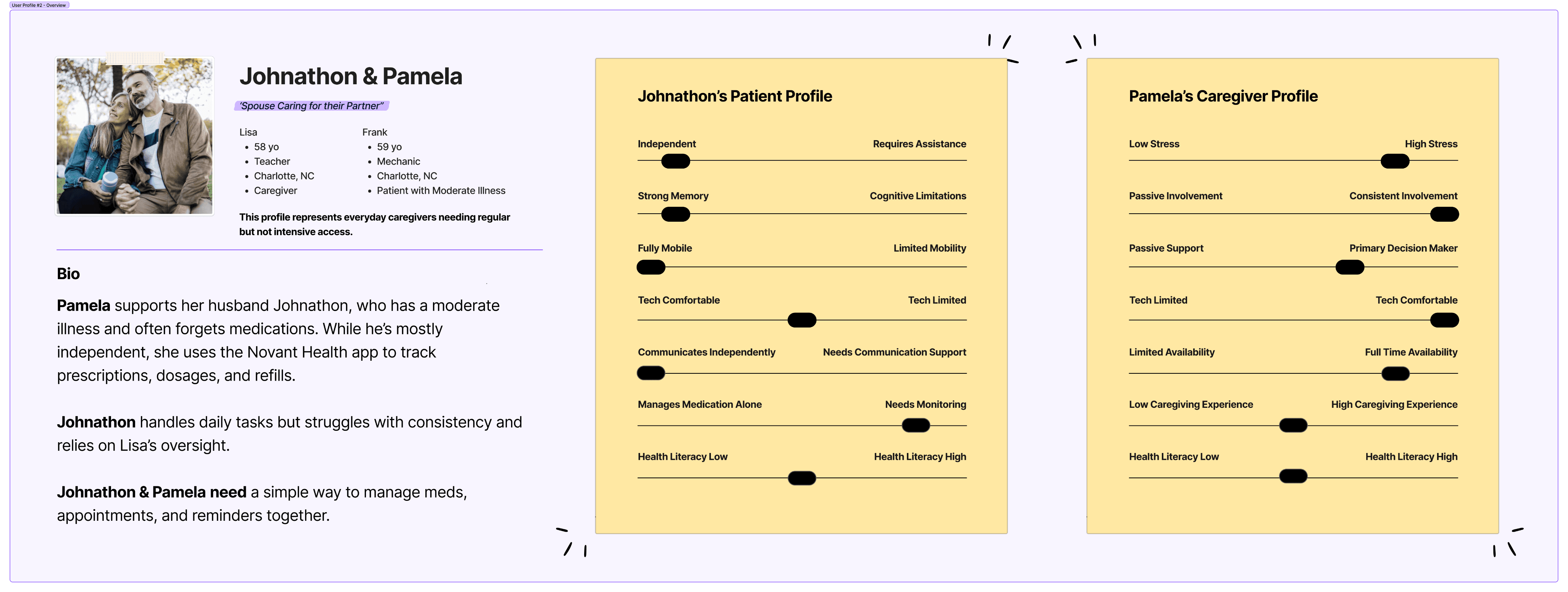
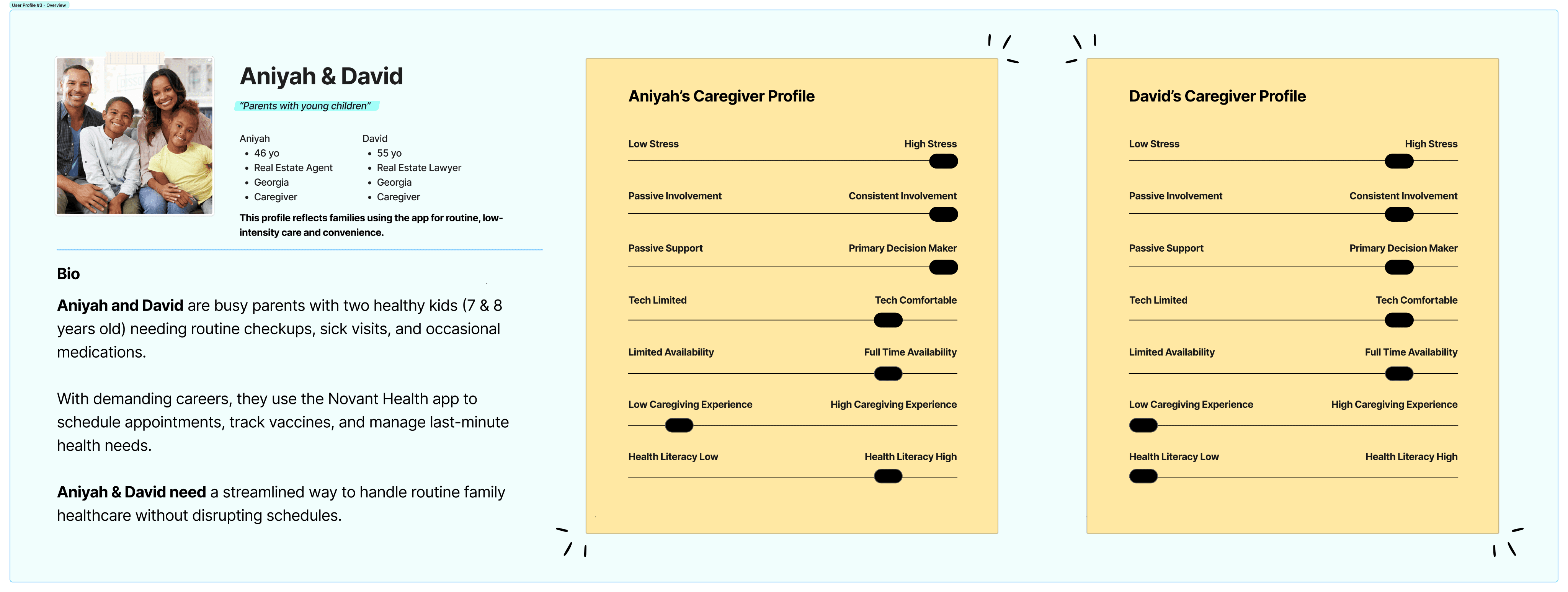
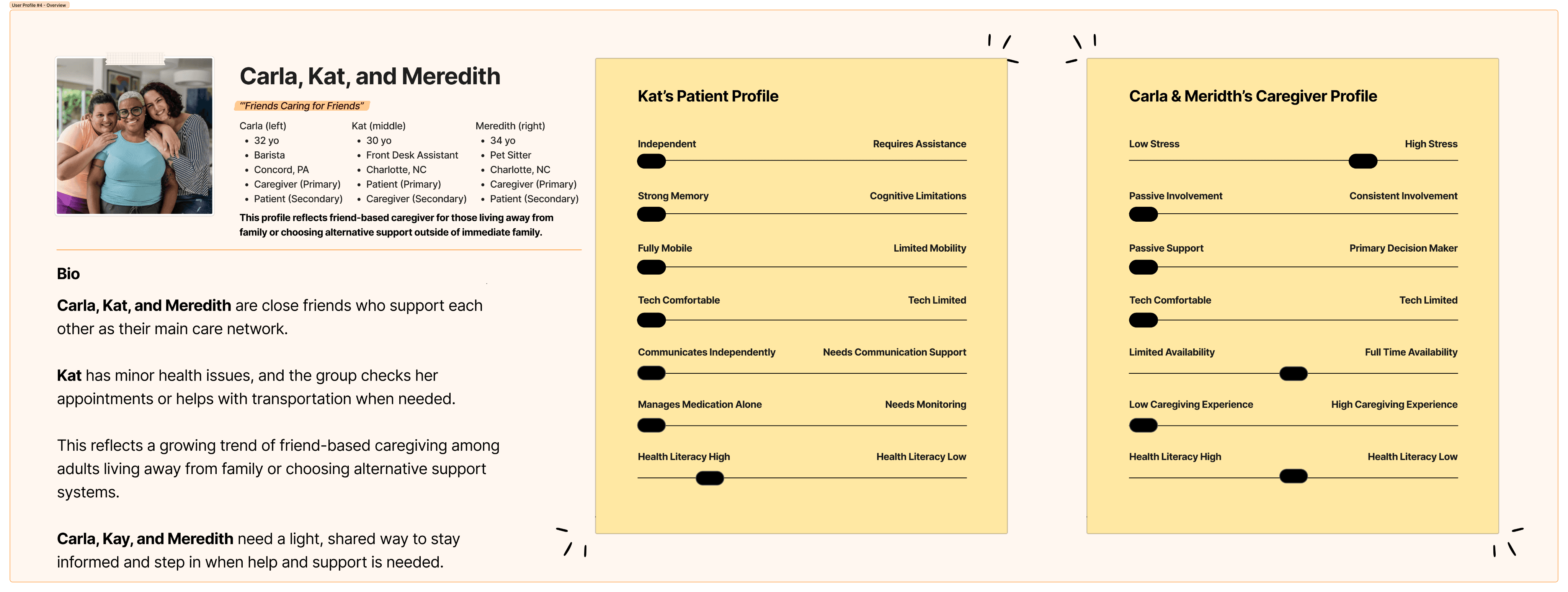


Johnathan and Pamela: Caregiving For Your Spouse
Pamela (58) manages her husband Johnathon’s (59) healthcare. Johnathon is mostly independent but has a moderate illness and often forgets to take his medications. He's mostly independent, but his memory lapses create constant worry for Pamela and their family.
With personas, user needs, and expectations clear, I began to design three critical flows:
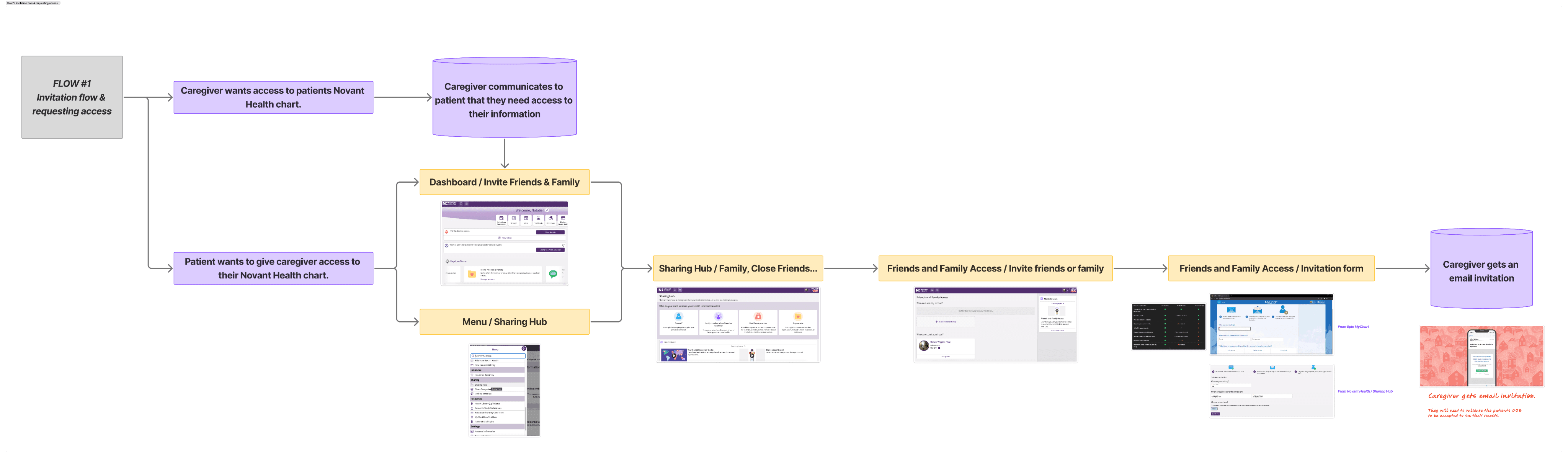
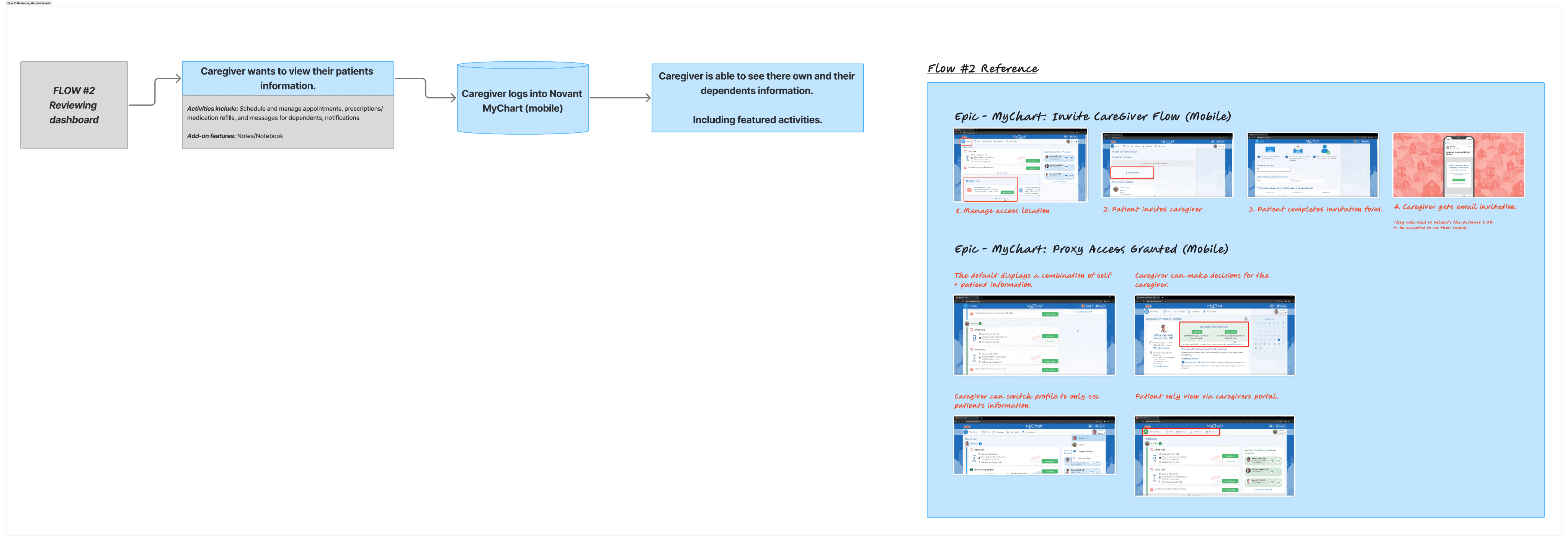
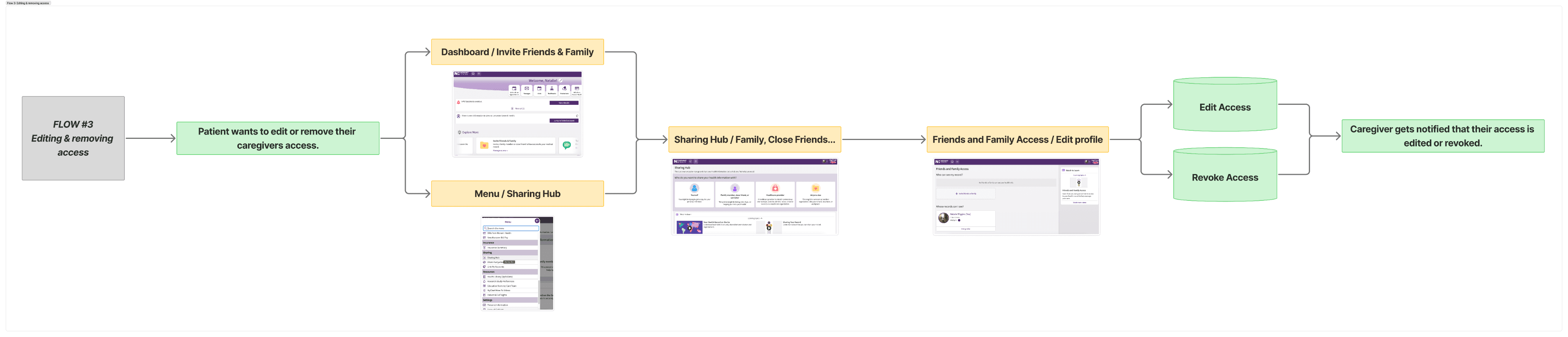
These flows became the foundation for my high-fidelity mockups. I then created a prototype to demonstrate key caregiver actions such as:
Managing appointments, medications, and billing.
Viewing medical records and test results.
Contacting doctors and access to the care team.
The Solution & Key Design Decisions
Moving into the design solution, I was guided by one principle: mirror desktop patterns, but fix what's broken and optimize for mobile.
I identified gaps in both Epic and Novant's implementations—vague access levels, broken permission fields, family-only language—and solutioned them while staying true to familiar workflows. Every decision balanced user trust, accessibility, and caregiver inclusivity.
Here's how I approached the key design challenges:
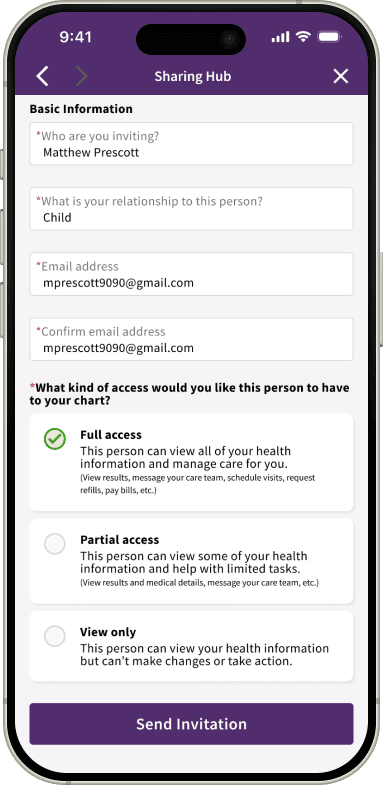
ACCESS MANAGEMENT SYSTEM
The context
Epic's desktop screenshots showed access levels with vague descriptions, while Novant's Sharing Hub had a "Choose Level of Access" field that displayed no actual options when tested.
(Likely a bug in their implementation, but a significant user convenience nonetheless.)
My solution
Three clearly defined permission levels:
Full Access - Complete access to all health information and account management.
Partial Access - Limited to appointments, messages, and basic records.
View Only - Read-only access with no ability to make changes.
CAREGIVER RELATIONSHIP FIELD
The gap
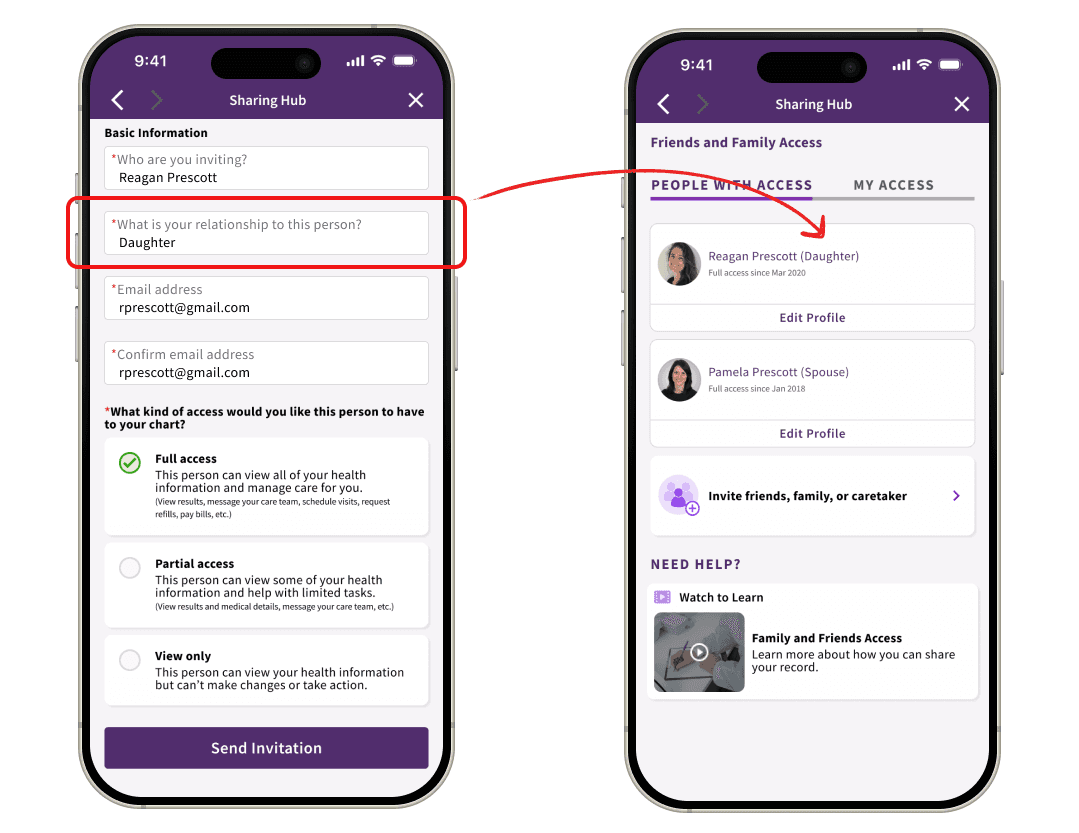
Both Epic and Novant's features were named around "family" sharing, excluding professional caregivers, friends, neighbors, or other non-family support systems.
My solution
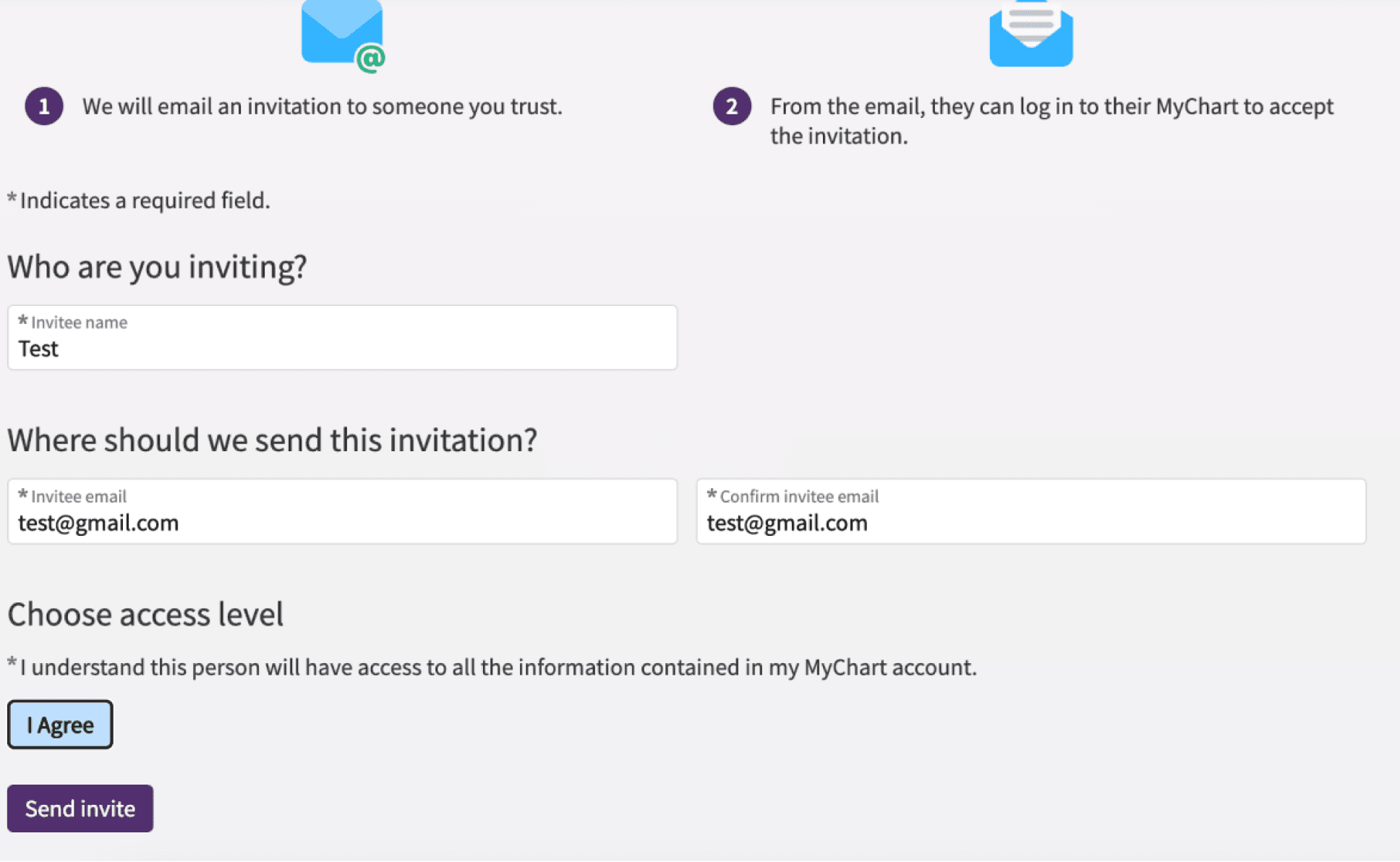
I added a free-form text field in the invitation flow.
When the user enters their relationship (e.g., "daughter," "friend," "home health aide"), this label is reflected throughout the app as a contextual reminder.
PROFILE SWITCHING & ACCESSIBILITY
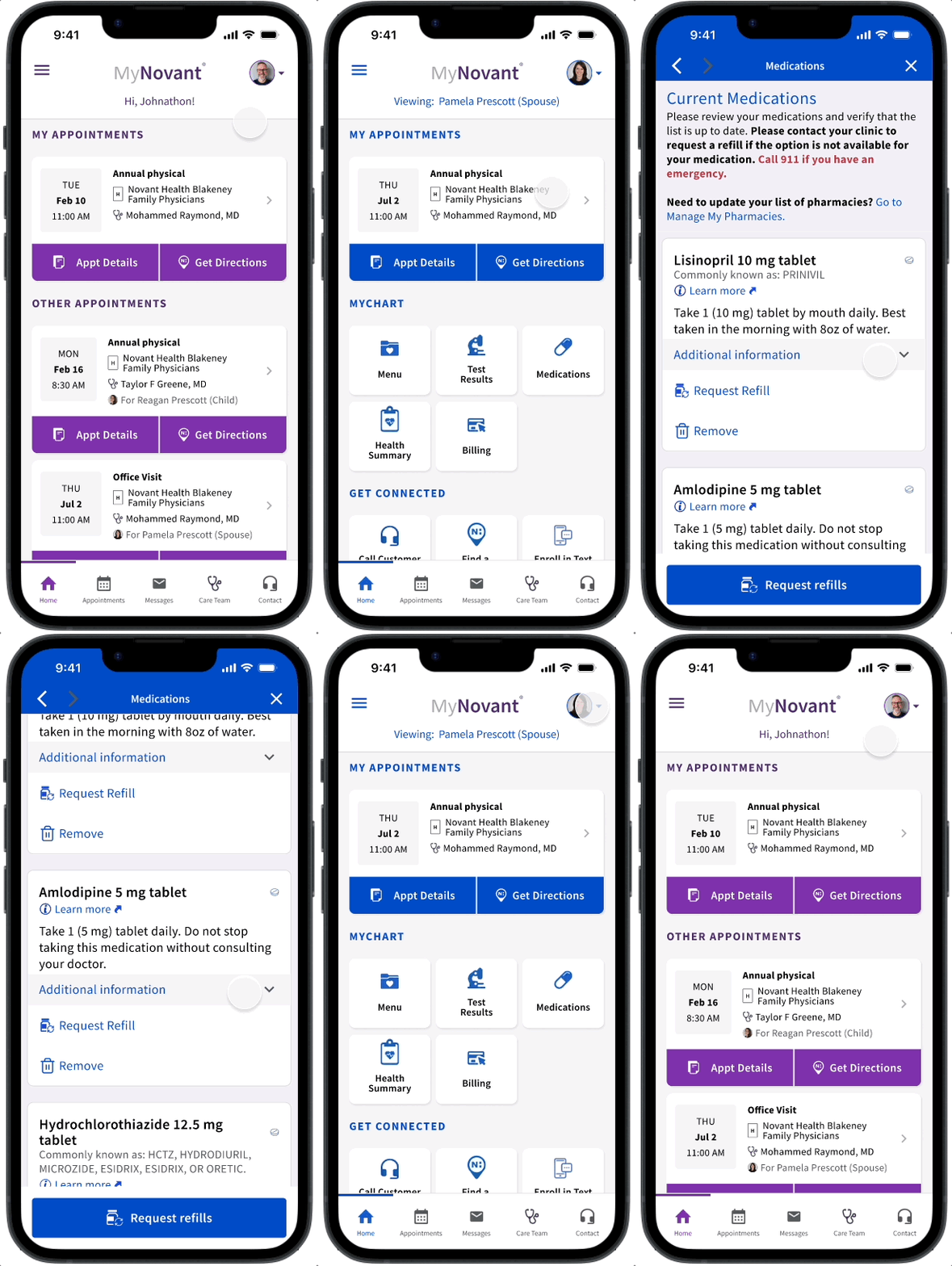
I kept Novant’s desktop pattern of color-coding different patient profiles within the app.
However, color-coding alone isn't enough. To help colorblind users better differentiate multiple profiles I went with a “layered approach” combining:
Color indicators (for visual distinction).
Persistent text labels: "Viewing: Pamela’s Profile" (for clarity).
Relationship context from invitation: "Pamela (Spouse)" (for quick recognition).
Displayed at the top of main screens (for constant awareness).
SECURITY & VERIFICATION
Maintaining Epic's current DOB verification pattern, I made a strategic choice: don't fix what isn't broken.
While DOB verification isn't foolproof, it's familiar, HIPAA-compliant, and—most importantly—doesn't create barriers for caregivers who might be managing an emergency.
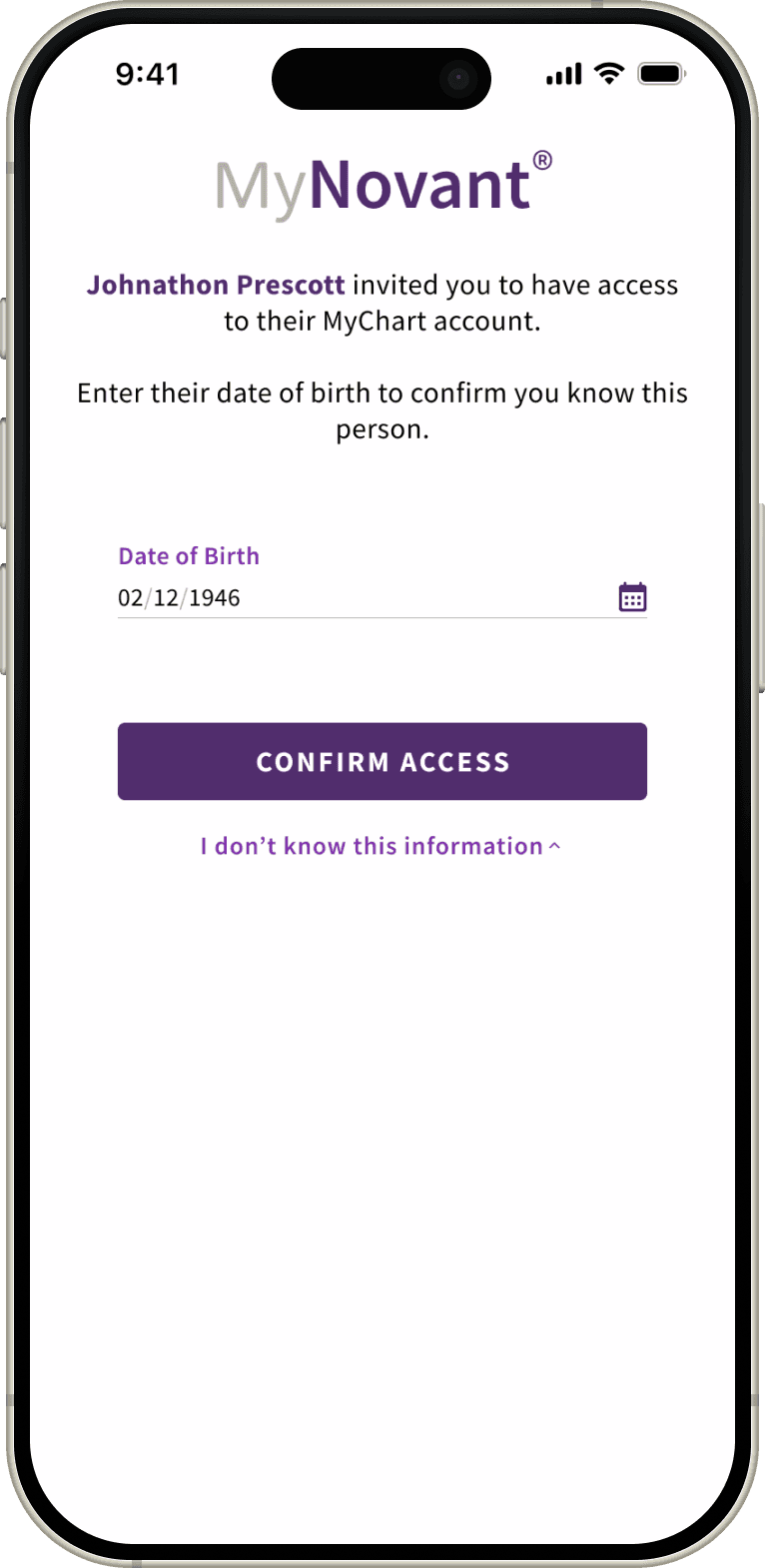
MIRROR DESKTOP, OPTIMIZE FOR MOBILE
Throughout this project, every design decision passed through the lens of pattern recognition and user experience optimization. This presented as a balancing act—I made sure to respect Epic's proven patterns (so users trust it) while fixing what was broken (so this would actually work if implemented).
Strategic Improvements
Definition of vague access levels (to clarify all ambiguity).
Adding broader relationship parameters (to promote inclusivity for all use cases).
Maintaining accessibility and security (to support HIPAA and healthcare guidelines).
Eliminated browser redirect (adaptive design over workarounds).
Reflections & Future Iterations
Just like real-world projects rarely follow a linear script, the same could be said for conceptual ones. This project taught me how to manage complexity in interconnected systems.
FUTURE ITERATIONS
Transportation assistance
Inspired by Uber Health's model, integrating ride share booking directly into the appointment flow would allow caregivers to arrange transportation for their loved one or track scheduled rides when they can't be present. Giving caregivers visibility and control without requiring them to manage their loved ones care on multiple applications.
IF I HAD MORE TIME AND RESOURCES...
Usability testing with actual caregivers.
Prototype transportation/notes features to validate priority.
Test with users managing 4+ accounts to find breaking points.
Final Takeaway
In regulated industries, consistency is a feature. When we mirror proven patterns and incorporate this as a foundation, we reduce the cognitive load for users at their most vulnerable.
Next, I’d love to push these boundaries by integrating the “future iterations” into the workflow. For me, the win isn't just a functional app; it's a digital ecosystem that finally supports our caregiver “superheros” every step of the way.